How To Save $1000’s On Tech This Year
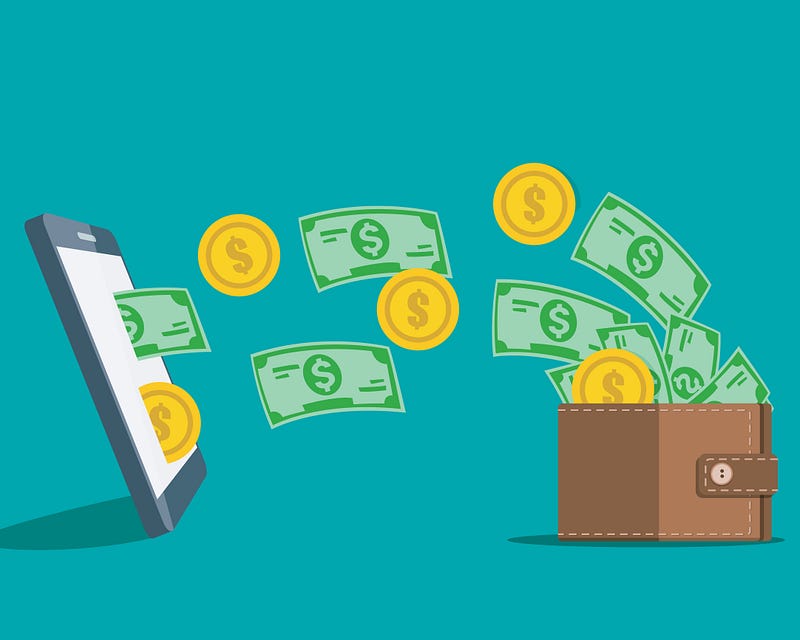
Most people are spending too much on their tech.
The average user does nothing more than check their email, check social media, browse the internet, and watch streaming services. Maybe they occasionally open Microsoft Word.
The average computer or phone, though, is marketed to do a lot more than that.
Consider the latest Apple iPhone announcement. The iPhone 12 Pro can shoot in a better-than-RAW format called Apple ProRAW. Even better, the iPhone 12 Pro can shoot, edit, and process in Dolby Vision. (For now, we’ll just pretend to know what that is).
Apple shot a film with a cinematographer I presume is famous and successful. In that film, he shared with the audience his belief that the world’s next great cinematographer will be shooting their first films with an iPhone 12 Pro.
You, me, and the vast majority of viewers for Apple’s announcement are not the world’s next great cinematographers.
We are idiots who use our cameras for nothing more than Instagram food pictures or badly framed family portraits. They make us happy, and I completely support that, but they are not professional work.
For us, the iPhone 12 Pro is completely unnecessary.
That doesn’t stop people from blowing the extra money on a Pro. According to the numbers, nearly as many people bought the iPhone 11 Pro models as those who bought the. standard iPhone 11 models in 2018 and 2019.
No, half of all iPhone users are not budding photographers and cinematographers. They are just buying way more iPhone than they need.
They wasted a lot of money doing so.
At launch, the base model of the iPhone 11 was $700 and the base model of the iPhone 11 Pro was $1000 (the 11 Pro Max was $1100).
These consumers blew at least $300 on phone power they didn’t need. (More than that, actually, if they bought more storage size than they need, which many people do).
That’s just phones. What about laptops? Many people also buy way more laptop than they need. Don’t get me started on brand-name headphones like Beats or AirPods, either. Then there’s our tablets, which everyone loves but no one really uses…
Unless you are a very savvy consumer, you are probably spending at least $300 more on each of these purchases than necessary.
How digital minimalists buy tech
Digital minimalists don’t buy iPhones meant for the world’s next great cinematographer unless they are the world’s next great cinematographer. Digital minimalists take a different approach.
Digital minimalists decide what they want out of their technology, and then they only pay for enough technology to meet their needs.
The financial advantages to this approach are enormous. You can easily save thousands of dollars a year by only buying as much technological power as you need, not as much as the market can offer.
Admittedly, this can be hard to do. Digital minimalists do so according to a set of tried-and-true principles.
Disclaimer: This guide is full of Apple examples because I’m an Apple user and I’m only familiar with their product line. The principles described, though, apply equally as much when buying Pixel phones or Surface Pros or any other high-end tech as well.
Without further ado, those principles are…
Only pay for the processing power and storage you actually use
As with the iPhone 12 Pro, the processing power and storage of most computers and phones on the market far outstrips what most users need.
To avoid getting sucked into paying for more than you need, go into the purchase prepared. Know how much you’re currently using.
First, look up how much storage you are currently using.
For instance…
- I am using 36.4 GB of 64 GB available on my iPhone.
- I am using 200 GB of 250 GB available on my MacBook.
However, the digital minimalist doesn’t stop there.
Next, we do a little “digital decluttering” to make sure we are not using more space than we need.
Digital decluttering is easy to do. Here is what you do…
- Delete files you don’t need. Go to the storage section of your device and look at all of your data. Which files and apps are taking up the most space? Do you even need to keep them? If not, just go ahead and delete them right now.
- Learn how to use cloud storage mirror functions. All major personal cloud storage providers provide the option for you to either store all your files on the computer and in the cloud, or in the cloud only. Setting files to “cloud only” takes them off your computer and saves space.
- Invest in an external hard drive. They are a fraction of the cost of internal storage and come in astonishing sizes like 1 TB, 2 TB, and 5 TB. If you have a lot of archives you want to store, this is the perfect way to do so. (Plus, because they’re not attached to your computer, they won’t get destroyed if your computer gets destroyed too).
Is voice dead? It's a fair question. Chatter about the digitization of processes, new apps, and enhanced mobile banking…www.datadriveninvestor.com
Earlier I mentioned there is only 200 GB of data on my MacBook. That’s because the other 2 TB is on my external hard drive. All my movies, music, business archives, phone backups, and computer backups from the beginning of time are on my external hard drive.
Once this is done, check your storage use of your devices again.
The amount of storage you’re using this time around is the true amount of storage you need.
Next, figure out how much processing power you actually need.
A good rule of thumb is, if you have never had problems with your current phone or computer being slow, you do not need more processing power than you currently have.
If you feel your current tech is operating a little slowly, buy something with a slightly faster processor.
For instance, my 2017 12” MacBook is running a little slow these days. Not much, but a little. My 2017 MacBook has an m3 core, the base model, so when I buy my next MacBook, I’m going to buy the middle-tier model instead.
Another good rule of thumb to know is that unless you are using professional software, you do not need any phones or laptops marketed as Pro or professional, nor do you need the maximum amount of storage or processing power available for anything.
By professional software, I mean programs like Adobe Photoshop, Adobe Premiere, Adobe Lightroom, Final Cut Pro, and OBS Studio. Programs that do complex calculations and produce large end-product files.
I do not mean Word, Excel, Pages, Numbers, or Adobe PDF viewers. Nearly every tablet on the market, let alone computer, can handle these programs. You do not need more than a base model for these.
A case study:
That 2017 12” MacBook I mentioned is the only computer I’ve used to run my entire writing business for the last three years.
I’ve used it to write articles, design book covers, create marketing materials, generate ebooks, hold Zoom calls, participate in webinars, give presentations, create lead magnets, and design automated sales funnel processes.
It does all of this with an m3 core. When this laptop came out, it was the very cheapest laptop apple offered — $849. It was less expensive than some of their iPhones. And it’s done all this, for three years, with no problem.
The only time it’s ever slow is when I run Affinity Photo, Affinity Illustrator, or Vellum, which are specialized software programs. And even then, it’s only a little slow.
Which is why, when I replace this laptop, I’m still going to replace it with Apple’s cheapest and smallest laptop. I’m just going to buy the middle-tier version instead of the base model this time.
Most people should buy the base model
Last year, when we were all able to go to coffee shops, you could walk into any given Starbucks and see all kinds of people with MacBook Pros, Surface Books, and other high-end computers. Each one probably cost twice as much as my cute little MacBook.
I’ll bet you a thousand dollars they weren’t using those expensive computers for anything but modifying excel spreadsheets, checking their email, uploading things to company or school platforms, and browsing social media.
Don’t be one of those people. They wasted $1,000 on a computer they’ll never need. Only buy as much processing power as you need.
Don’t pay for features you never wanted anyway
This applies more to peripherals than it does phones or computers. This is important, though, because peripherals are also a great opportunity to waste hundreds of dollars.
I recently sold my Sony WH-1000MX3 headphones on eBay. They are a few years old, but they were nearly $400 at launch when I bought them.
Why were they so expensive? Because they had lots of features I never asked for.
One of the features was touch controls. I could swipe forward or backward on one of the cups of the headset to select the next or previous track. It took me months to realize this even existed.
Another feature was temporary noise-cancellation silencing. I could hold my hand to one cup of the headphones, and as long as my hand was there, the Active Noise Cancelling would turn off. It was great for having quick conversations in the office.
The headset also had an accompanying app. You could fine-tune your audio preferences, to deepen the bass or heighten the treble on your songs. As a lover of heavy metal, this was a fun option to have.
In the end, were these features worth one month’s rent?
Last week, I bought a set of over-ear noise-cancelling headphones on Amazon for $30. They don’t have touch controls, nor does an accompanying app allow me to fine-tune my listening experience. But they have great noise cancelling, they’re comfortable to wear for hours at a coffee shop, and my music still sounds like it was sponsored by Satan. When I’m buying headphones, that’s all I care about.
Everything that’s important to me in a headset can be bought for $30.
And I paid $400 for those Sony headphones.
No, they weren’t worth it.
Don’t allow yourself to be dazzled by features you never wanted anyway.
Don’t buy a MacBook Pro because it has a Touch Bar, don’t buy an iPad Pro because it has a Pencil, don’t buy a Surface Duo because it folds, don’t buy AirPods or Pixel Buds because they are brand name… you get the picture.
Before you buy anything, especially peripherals, decide what features you’re looking for. Only pay for those.
Only pay for features you use.
Only buy new electronics when improvements are significant for you
I’m the proud owner of an iPhone X. When it came out, it was cool. The screen ran all the way to the edge of the device, which was new, and that enabled me to have a screen the size of an iPhone 8+ on a device the size of an ordinary iPhone 8.
Me and my tiny pockets were thrilled, and I bought one as soon as I could.
I didn’t buy another iPhone for three years. I could have, but I didn’t.
Why would I? I bought an iPhone X because of the economical size and clarity of the display and no other reason. When the iPhone XS, iPhone 11, and iPhone 11 Pro came out, they had many great improvements, but the screen size wasn’t one of them. The feature I care about wasn’t changed much, so I didn’t buy a new phone.
Fast forward three years. Apple has released the iPhone 12 mini. That small pretty screen got even smaller and even prettier. Sign me up!
The iPhone 12 mini has a bunch of other great features, like an amazing camera that will certainly help me take better professional headshots. I’m looking forward to them, but they’re not important to me. I care about screen size, device size, battery life, and cellular connection. In these, the iPhone 12 mini excels.
Me and my tiny pockets are thrilled, and I’m buying one as soon as I can.
Only buy electronics if they’re significantly better than the previous version for features you care about.
Don’t pay hundreds of dollars for a phone with a professional camera if you are not a photographer. Don’t pay hundreds of dollars for a laptop that folds into a drawing tablet if you never draw. Don’t pay hundreds of dollars for an athletic smartwatch if you’re not athletic.
Only pay for feature improvements you care about.
Put your purchase on ice for a week.
Electronics manufacturers over the last twenty-five years have gone from being marketing fools to marketing masters.
They have taken highly technical and complicated products and designed them so well and marketed them so beautifully that large segments of the global population literally mark their product announcement dates on their calendars like product announcements are a holiday.
Then, when that date finally rolls around and we’re given the chance to pre-order and pre-pay for multi-thousand-dollar equipment, we feel like we’re the winners.
Let’s not kid ourselves. I’m going to love the iPhone 12 mini, but the real winner in that transaction is Apple. They’ve successfully convinced me to give up a large portion of my income.
Once you’ve gone through this guide and decided to buy only the processing power you need, only the features you want, and only when a product is a significant upgrade for you, wait a week to buy it.
If you spend that entire week in eager anticipation, go ahead and buy it.
But if you actually kind of honestly forgot about it by the end of the week, don’t.
None of these principles are going to make technology less expensive than it is. Apple, Microsoft, and Google are going to keep charging hundreds and thousands of dollars for their phones and computers.
What these principles will do is make sure you’re not spending more than you need to when you get your hands on them.
Want to Break Your Phone Addiction?
If you use your phone way too much and you know it, my free email course Break Your Phone Addiction In 7 Days will help you stop once and for all.
Sign up for Break Your Phone Addiction in 7 Days now!
Gain Access to Expert View — Subscribe to DDI Intel
Enjoy this kind of writing?
I send one email a week about AI, intentional living, and doing meaningful work in a world that won't stop changing. Join 700 other subscribers.
Keep Reading
Your Clothes Use More Water Than Your AI
The environmental case against AI doesn't survive contact with the data
Apps Will Soon be Replaced by AI
The first new computing interface in sixty years doesn't need them.
AI Is Building the Biggest Porn Machine in History
The industry that monetizes child rape videos just got mechanized production